hellonorman wrote:Vogateer,
There's a couple of questions that come to mind immediately. First what model tv do you have?
My model TV is a weak Insignia (Best Buy's rebranded Magnolia) IS-TV040927. I've called the manufacturer, the local Best Buy store, and the 1-888 number, and nobody seems to know anything about this TV. It's certainly not HD, more like a mildly enhanced def TV, but it was cheap (Both my previous TV and I were broke at the same time). It gave me HDTV signals from an antenna though, which was really what I wanted, and a tremendous improvement over what we were getting before.
hellonorman wrote:
Second. Does your video card actually output a better signal over those component cables or is it simply providing you a way to connect to a tv that may not have an svideo port?
It would seem that the svideo port would be the limiting factor there as that sure looks like an s video port in the picture. So I guess I'm wondering if it's just outputting s video quality over the component cables or if it actually can send a better signal.
I haven't actually bought a video card yet, this is sort of "research" before I start purchasing. The reason I first posted was that I distinctly remember someone saying in a forum that the component out of some nVidia card wasn't supported under linux, but it was some time ago, and apparently the support has improved. I'm thinking of taking the route Pat did, since he's already had success, and having component out from the motherboard could save me some cash. Don't worry Pat, I won't blame you if things go awry.

But yeah, it looks like you're thinking the same thing I did when I first saw something like this, but if you look closely at the picture of the card, you'll see several extra pins on the
S-Video–like port. It's sometimes called a
TV-Out port or a
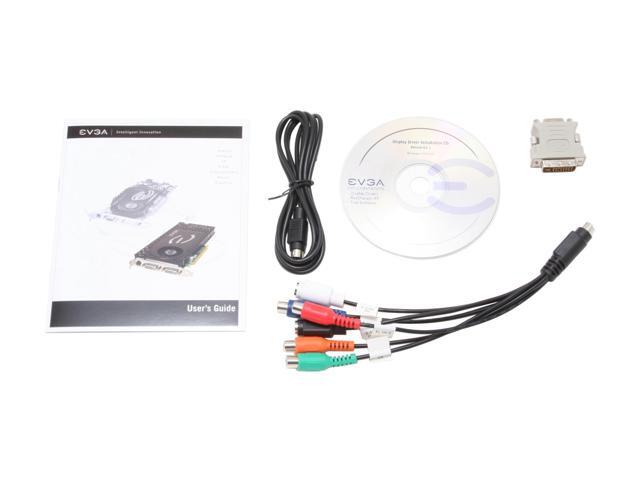
VIVO port as well. I remember reading somewhere that these extra pins enable the port to produce both S-Video and Component-Out, with the Component being truely Component quality, include HDTV quality signals. Pic below:

Good questions, hellonorman, sounds like you were looking out for me, which I appreciate.
Snarkout: Man, that connection would be cheap; I do try to preserve some quality of the signal even though I'm about blind…

But yeah, I can see why you were confused by my question. My question was so broad and general, I should be damned glad anyone tried to answer at all. I'm glad I did post, though, since Pat gave me a great recommendation, even though I neglected his blog post, and even remember him talking about it on one of the tech shows. Were my mind not like a sieve, I would have remembered that and visited his web log.
Pat: Oh yes, HDTV looks far better than SD. But when I was broke, an "enhanced def" screen that picked up a digital HDTV signal over-the-air seemed the best option for the money. I'm sure you can tell the difference if you look closely, but "enhanced def" and HD aren't so obviously different on a relatively small screen from over 10 feet away, but the cost was certainly different back in 2005. I'm sure we'll get a good TV within a year or so, but in the meantime I don't want to spend money on another VCR (the other one busted) when I was planning to build a MythTV box very soon anyway.
My TV only has a 26 inch screen, and I think there's only so much resolution I can discern when the screen size is below 32 inches. If the screen starts to approach 40 inches, then the difference is not only noticable, but impressive. This is just my opinion, but you know, if I remember correctly I have about 20/400 vision. Yes, two zeroes on the second number. My contacts were -7.50 when I used to wear them. If it weren't for the resolution causing trouble now, I would still think it the best deal for the money considering I have such bad eyesight.